


 25.5.12
 Da_Soljar

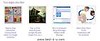 In one of my previous posts,I gave out a site to add the "Related post widget" to your blog,but for those who might prefer to embed the codes into their template,this is a nice way of doing that.
HOW TO ADD THE WIDGET ON YOUR BLOG.
First,login to your Blogger Account.Go to Design/Layout»»Edit HTML.[Backup your template in case something goes wrong.]
Check the box next to
Expand Widget Template and search for </head>by pressing CTRL+F.
On getting that,just copy/paste the code below directly before/above it.
<!--Related Posts with thumbnails Start-->
<!-- remove --><b:if cond='data:blog.pageType =="item"'>
<style type="text/css">
#related-posts {
float:center;
text-transform:none;
height:100%;
min-height:100%;
padding-top:5px;
padding-left:5px;
}
#related-posts h2{
font-size: 1.6em;
font-weight: bold;
color: black;
font-family: Georgia,“Times New Roman”, Times, serif;
margin-bottom: 0.75em;
margin-top: 0em;
padding-top: 0em;
}
#related-posts a{
color:black;
}
#related-posts a:hover{
color:black;
}
#related-posts a:hover {
background-color:#d4eaf2;
}
</style>
<script type='text/javascript'>
var defaultnoimage="http://farm8.staticflickr.com/7104/7267555714_285261d73d_t.jpg";
var maxresults=5;
var splittercolor="#d4eaf2";
var relatedpoststitle="Related Posts";
</script>
<script src='http://helplogger.googlecode.com/svn/trunk/related-posts-with-thumbnails-for-blogger.js' type='text/javascript'/>
<!-- remove --></b:if>
<!--Related Posts with thumbnails End-->
NOTE»
When a post has no image,a default image is shown.To change the picture,get the address of an image,then change it with the url in red above.
Likewise,to change number of posts,replace 5 in the code above.
<div class='post-footer-line post-footer-line-1'>
Can't find that?,search for this instead.<p class='post-footer-line post-footer-line-1'>
On getting any of those two,copy/paste the code below directly after it.<!-- Related Posts with Thumbnails Start-->
<!-- remove --> <b:if cond='data:blog.pageType == "item"'>
<div id='related-posts'>
<b:loop values='data:post.labels' var='label'>
<b:if cond='data:label.isLast!= "true"'>
</b:if>
<script expr:src='"/feeds/posts/default/-/" + data:label.name+ "?alt=json-in-script&callback=related_results_labels_thumbs& max-results=5"' type='text/javascript'/></b:loop>
<script type='text/javascript'>
removeRelatedDuplicates_thumbs();
printRelatedLabels_thumbs("<data:post.url/>");
</script>
</div><div style='clear:both'/>
<!-- remove --> </b:if>
<b:if cond='data:blog.url == data:blog.homepageUrl'><b:if cond='data:post.isFirstPost'>
<a href='http://freebie-planet.blogspot.com'>Home of internet freebies.</a>
</b:if></b:if>
<!-- Related Posts with Thumbnails End-->
Now most importantly,save your template,and that's it.
Adapted from HELPLOGGER!!!.


