


 10.2.13
 Da_Soljar

Some of these
How to Unlock Huawei Modem.
Unlocking of modem is easier than what most people think. You will agree with me that most huawei modems...

How To Hack A Symbian Phone Without Computer.
Sometimes ago,I purchased a symbian V3 phone and tried installing some applications to it. I got really frustrated when I had to download just 1 software about 4 times due to...

How To Activate Windows 7 Free.
After Microsoft enabled mass download of Windows 7,its maximum usage was 30 days before it expires. During the 30 day validation...

10.2.13
0 How To Share A Computer's Internet Connection With Other Users
Some of these
29.10.12
3 HOW TO USE SYMBIAN PHONES AS HOTSPOT TO BROWSE THE INTERNET ON COMPUTER.
Connecting a computer to the internet is becoming lot more easier day-after-day with the development of new & great Softwares.
 Joikuspot is a software-solution that simply helps to turn a Symbian Phone to a secure mobile WLAN(Wireless Local Area Network) Hotspot,i.e With Joikuspot,an S60 phone is converted to an open Wifi/Wlan Hotspot which can be used to connect a Computer to the internet to surf the web using a “Joikuspot generated mobile wifi access point”.
It's necessary for you to have data bundle on your sim-card for Joikuspot to work.
(Get the upgraded version from Nokia Ovi-Store)
“How To Connect A Computer To The Internet Using An Android Device.”
In a post sometimes ago,I shared with us » “How To Connect A Computer To The Internet Using An Android Device.”
So,you don't have an Android Phone?,don't worry.
In this post,I'll be sharing with you yet another great software which works on Symbian S60 phones..
It's called “JOIKUSPOT”
JOIKUSPOT.
Joikuspot is a software-solution that simply helps to turn a Symbian Phone to a secure mobile WLAN(Wireless Local Area Network) Hotspot,i.e With Joikuspot,an S60 phone is converted to an open Wifi/Wlan Hotspot which can be used to connect a Computer to the internet to surf the web using a “Joikuspot generated mobile wifi access point”.It was developed by JoikuSoft,with series of updates ever since its creation in 2008.
While installing the app.,you'll be prompted to select a language which is best understood by you.
Some of the featured languages include »
- English (U.K & U.S.A)
- French
- German
- Spanish
- Italian
- Swedish
- Danish
- Norwegian
- Finnish
- Portuguese
- Turkish
- Russian
- Dutch
- Slovenian
- Chinese
- Japanese
- Arabic
- Hebrew
- Ukrainian
- Indonesian
- Korean [and much more]
Using Joikuspot for internet connection is extremely easy.
It doesn't require Bluetooth connections,neither does it require the usage of USB chords.
- Download Joikuspot to your phone (Download Link Below)
- Install it on your device (Click “OK” to by-pass all pop-ups)
- Once installed,you'll be required to reboot your phone.
- Launch the application and select a valid Access point to turn your phone into a Wifi hotspot[3G Modem].
- Scan for “Open wifi networks” using your high-grade desktop/laptop.
- Once found,select “Connect” and you're ready to surf the net on your computer.
It's necessary for you to have data bundle on your sim-card for Joikuspot to work.
Some of the supported phones include
Nokia N8, E7, C7, C6, N900, E51, E52, E55, E60, E61 , E61i, E63, E65, E66, E71, E72, E73, E75, N78,N79, N80, N97, 808, 5800 and much more.
(Get the upgraded version from Nokia Ovi-Store)
That's all.If you're not clear with anything,please do not hesitate to use the comment box below.
ALSO READ“How To Connect A Computer To The Internet Using An Android Device.”
12.10.12
0 HOW TO CONNECT A COMPUTER TO THE INTERNET USING AN ANDROID PHONE.
It's no longer a story that you can connect a computer to the internet via Mobile Phones,but “HOW” remains the question.
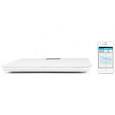
You can now open your Computer's browser to browse the internet.
So,do you have a Computer & an Android Phone?, here's a quick one on how you can do just that.
Steps To Connect Pc With Internet.
- Connect your Android Mobile to the internet with your inbuilt browser (Wifi/Packet data).
- Connect Phone to Computer using a cable.
- Select Wireless & Networkfrom your Android phone's settings.
- Next,select Tethering and Portable hotspot.
- Finally,Check USB tethering & Portable Wi-Fi hotspot.
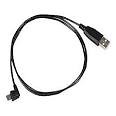
You can now open your Computer's browser to browse the internet.
7.4.12
7 HOW TO UNLOCK MODEM FREE.
 You will agree with me,that most huawei modems are tied to just one specific service provider.
Different forums, blogs ,websites etc,bring up the issue of modem unlocking,but most times fail to complete it,while some ask you to drop your IMEI in order to help you get the unlock code,but failing to keep their promise.
You don't have to go through all that stress just to unlock your modem coz you can actually unlock it by yourself online,within a matter of minutes.All you have to do is enter the IMEI of your modem in this site and click on calculator. The unlock code of the modem will be given to you live and direct.
Just input the code you get from this site and your modem will be unlocked automatically to use any network.
If you don't still get it,leave your comment behind so as to guide you on what to do.
HAPPY FLEXING!!!


