Search This Blog

17.1.13

1 How To Delete Real Player History In Mobile Phones

By default,mobile Real Player app. saves up to 6 most recently viewed files in a Symbian phone and this is rather infuriating as everyone making use of the application will have an easy access to all files which the user had recently viewed on the system.Realplayer logo.jpg

In a case whereby you pick up someone else's phone to watch/spy their videos without authorization,then it is 'very' impossible to deny responsibility.
But if it's a must that the person shouldn't know,then what's the solution?
Would you Format/Restore thier factory settings?

NAH,that's stupidity...
What else can be done?

In this tutorial,I'll be showing you an extremely easy way to clear your Real Player's history without passing through a whole lot of stress.

Requirements
Once those are gotten,we are ready to fire-on.

Steps To Clear Real Player History.

  1. Launch/Open your File Manager(Xplore)
  2. Navigate to C:\private\10005A3E\
    (Launch Rom Patcher if you can't gain access to “Private” folder.)
  3. Next,delete the .dat file present in it,i.e ‘mediaplayer.dat’.
  4. Finally,open your Real player to confirm 'history' deletion.
That's all.

If you would like to permanently disable this feature,then follow the steps below.

  1. Launch your Xplore and navigate to C:\private\10005A3E\
  2. Next,delete ‘mediaplayer.dat’ and create a new-empty txt file
  3. Name it Mediaplayer.dat and change its attributes to ‘read only’
You can now exit all open applications and try viewing a video file to ensure all is working perfectly.

Do you have any questions and/or suggestions?
Kindly post them here.

20.11.12

13 HOW TO SPEED UP COMPUTER USING MOBILE PHONES AS RAM.

Do you have a Computer with less RAM size?
Does your PC hang every now and then?
Do you feel like throwing your Laptop in the waste-bin just because of its crawling state?

Well,if that's the case of your Computer,worry no more because we are about to turn all that to history.

You will quite agree with me that a computer tends to become less & less active compared to when it was first purchased.
This could be linked to several factors which cannot be listed here,but most especially when a heavy job is being done on it.

Running Computer.jpg

In this tutorial, we will be looking at some powerful devices that can be used to speed-up a computer 10 times over.
You don't have to spend some extra bucks to get these devices, as they are what we have around us.

Guess what... ,they are our Mobile phones, USB flash drives, Flash memory cards...
With the help of ReadyBoost, these devices can be used to fasten-up the speed of a 'frustratingly' slow computer.

Using ReadyBoost Application To Speed Up Computer.

Like I mentioned above,the whole idea behind using a Mobile device,Memory Card... as RAM[Random Access Memory] is made possible with ReadyBoost App. which is present in virtually all computers.

Here's How...

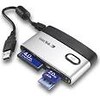
  1. Connect your Mobile Phone/Flash Memory card to the Computer using a USB chord or a Card reader.
  2. From the list of options that pops up on your Mobile phone,choose “MASS STORAGE”(For Blackberry users,choose USB Drive
  3. Note
    If you're using a Memory card,then you should skip the step above.
  4. Scroll to the bottom of the AutoPlay list that pops-up, and click on “Speed Up My System”.
  5. Now,the ReadyBoost window will be displayed. Just tick the option which says “Dedicate The Device To ReadyBoost”
  6. Next, check to ensure the "speed level" is at 4094MB, then Apply and finally click on OK
That's all!!! You can now feel the power of speed.
NOTE
If in any case the ReadyBoost window does not display,then it means your PHONE/SD CARD'S available memory is not up to the needed amount.

You can try getting rid of useless files from your phone / SD card until you have something like 950MB& above free.

TIPS
card reader.jpg
  • It's advisable you get a dedicated SD card for this purpose,so as not to lose important files.
  • Always remember to back-up your files to your system if in any case you'll be deleting some files on your Mobile phone.
  • For Laptop owners, it's recommended you use a Card-reader, because you can't always go about with your Phone connected with a USB chord.
If you need further help as regarding this tutorial,please do let us know.
Your contributions are also very valuable.THANKS...

29.10.12

3 HOW TO USE SYMBIAN PHONES AS HOTSPOT TO BROWSE THE INTERNET ON COMPUTER.

Connecting a computer to the internet is becoming lot more easier day-after-day with the development of new & great Softwares.Connected devices over wifi.jpg

In a post sometimes ago,I shared with us » “How To Connect A Computer To The Internet Using An Android Device.”
So,you don't have an Android Phone?,don't worry.
In this post,I'll be sharing with you yet another great software which works on Symbian S60 phones..
It's called “JOIKUSPOT”

JOIKUSPOT.

Joikuspot.jpgJoikuspot is a software-solution that simply helps to turn a Symbian Phone to a secure mobile WLAN(Wireless Local Area Network) Hotspot,i.e With Joikuspot,an S60 phone is converted to an open Wifi/Wlan Hotspot which can be used to connect a Computer to the internet to surf the web using a “Joikuspot generated mobile wifi access point”.

It was developed by JoikuSoft,with series of updates ever since its creation in 2008.

While installing the app.,you'll be prompted to select a language which is best understood by you.
Some of the featured languages include »

  • English (U.K & U.S.A)
  • French
  • German
  • Spanish
  • Italian
  • Swedish
  • Danish
  • Norwegian
  • Finnish
  • Portuguese
  • Turkish
  • Russian
  • Dutch
  • Slovenian
  • Chinese
  • Japanese
  • Arabic
  • Hebrew
  • Ukrainian
  • Indonesian
  • Korean [and much more]

Using Joikuspot for internet connection is extremely easy.
It doesn't require Bluetooth connections,neither does it require the usage of USB chords.

Just follow these simple steps →
  1. Download Joikuspot to your phone (Download Link Below)
  2. Install it on your device (Click “OK” to by-pass all pop-ups)
  3. Once installed,you'll be required to reboot your phone.
  4. Launch the application and select a valid Access point to turn your phone into a Wifi hotspot[3G Modem].
  5. Scan for “Open wifi networks” using your high-grade desktop/laptop.
  6. Once found,select “Connect” and you're ready to surf the net on your computer.
Note »
It's necessary for you to have data bundle on your sim-card for Joikuspot to work.

Some of the supported phones include
Nokia N8, E7, C7, C6, N900, E51, E52, E55, E60, E61 , E61i, E63, E65, E66, E71, E72, E73, E75, N78,N79, N80, N97, 808, 5800 and much more.

[DOWNLOAD JOIKUSPOT PREMIUM VERSION 3.10]
(Get the upgraded version from Nokia Ovi-Store)

That's all.If you're not clear with anything,please do not hesitate to use the comment box below.

ALSO READ
“How To Connect A Computer To The Internet Using An Android Device.”

26.10.12

0 BEST ANTI-MALWARE SOFTWARES FOR SYMBIAN PHONES.

While downloading and installing different applications on mobile phones, it sometimes becomes exposed to viral attacks.

Securing the phone,thereby becomes essential at this point.
Just as the saying goes,“Prevention is better than cure”,
It's better to guard against these attacks than searching for an engineer to format the phone.

In this tutorial,I'll be giving you a list of Anti-virus(es) to secure your Symbian phones with.

  1. Netqin Anti-virus.
    As at the time of publishing this post,this software can be said to be the best amongst others.
    It possesses so many great features which makes it outstanding from others.
    Below are some of Netqin's features…

    Features Of Netqin Anti-Virus.

    • Apart from the normal “Full scan” feature,it has the ability to scan specific files/folders on a mobile phone,which makes it relatively faster.
    • It lets users update the “Virus DataBase” easily to provide 99.9% protection against latest virus threats.
    • It has the “Safe mode” function which when clicked-on,closes all Non-system applications to return the phone back to its normal state.
    • An Anti-lost tab is also present to help guard against easy data access and phone usage in case the phone gets lost[Avialable for to Pro members only].
    • “Contact Backup” ability which saves all phone contacts.
    • “Network Firewall” tab where you can manage all phone internet connections from[Allow/Disallow specific application's access to the internet.]
    • Get full information about all app. installed on the phone,allow/disallow auto-boot of specific app. from the “System manager” tab.
    • Get logs of all activities performed on the software.
      AND SO MUCH MORE WHICH I CAN'T FINISH MENTIONING…
      [DOWNLOAD IT HERE]
  2. Rising Anti-virus.
    This is another great functionality software which does not only guard against malwares,but also empowered to perform other genius functions.

    Features of Rising Anti-Virus.

    • It comes in two languages i.e English & Chinese.
    • It has a more customized scanning ability to Netqin,as it allows you to choose whether to scan…“Running Processes”,“Phone memory” or “SD card”.
    • It has the ability to block calls when set to do so.You can keep Blacklist/Whitelist contacts and decide to receive calls from just numbers present in the Whitelist.
      In other words,you have the ability to block specific numbers from calling your mobile phone.
    • You can protect certain files on your phone directly from this software,as it renders it un-usable.
    • Finally,this app allows the viewing and managing of all running Processes on the smart-phone.
      [DOWNLOAD IT HERE.]
  3. Kaspersky Mobile Security (KMS)
    This is also one of the greatest mobile anti-virus of all time.
    Just like the others,it possess so many great features which we'll be brushing over…

    Features of K.M.S

    • Just like the above mentioned softwares,it also allows for customized scanning.
    • Amongst others,it has an option to unzipping archives in order to search for any form of malicious codes
    • With this software,you can scan all bluetooth-recieved SMS & MMS.
    • You can set the app. to start a full scan anytime.
      Though,this feature in present in others,it is more customizable in KMS.
    • It also possess an Anti-theft function to guard against private information leakage in case of theft.
    • It has a “Gps Find” option to track mobile phone down when lost/stolen.
    • Unlike R.Antivirus software above,KMS has both Sms & Call filter ability which lets you receive calls & sms based on the compiled Black/White lists
    This application possesses much more functionalities,but those are the key features.
    [DOWNLOAD IT HERE]
There are so many others,but in my perspective,the above mentioned comprises of all key-features of those other anti-viruses.

10.10.12

0 HOW TO RECOVER ACCIDENTALLY DELETED MESSAGES ON MOBILE.

This tip is no longer a new one,but recently I was asked by a friend on `how he could recover a deleted message on his phone`,and I was like “So,this trick hasn't actually circulated”

Well,if you happen to have such questions,then Read on»

Before we proceed,note that “This trick doesn't work for SymbianV3 phones”
Now,make sure you have a File manager installed on your phone [X-PLORE or FEXPLORER]

Recovering Of Deleted Messages On Symbian Phones.

  1. Open/Launch X-plore.
  2. Navigate to C: if your messages are stored on “phone memory” OR D: if on external device.
  3. Locate System » Mail and click on it.
  4. Now,you should see different files/folders named 001001_s,0010001_s,00100001_s etc.
  5. Finally,open these files using the Explorer's default Hex viewer by locating it in the options {options»File»Hex/Text viewer} or by simply clicking “3”.
That's it.
TIP:
Once you locate the message you are looking for,copy/move it for easy reference.

If you have any suggestions/contributions to make,please feel free.

1.10.12

0 HOW TO LOCK AND UNLOCK MOBILE PHONES WITH FINGERPRINT.

Here's another great application with which you can secure your mobile phone.

It allows you to lock and unlock your mobile phone by just placing a finger on it.

Though literally,the software doesn't scan and save your finger-print,it locks and unlock based on the number of beeps you set in the application's settings when ANY finger is placed on it.

How Does It Work?

Like I mentioned above,the software will be set to a certain number of beeps which only you must know for security reasons.

Once the beeping is matched,will automatically unlock itself.
NOTE »
This software works on only Symbian touch-screen phones.

TIPS.
Set the beeps to a number you can easily remember and hard for others to guess.
E.g Do not set the beep to the number of letters in your name coz anyone can easily guess that.

DOWNLOAD IT HERE!

26.8.12

2 HOW TO HACK A SYMBIAN PHONE USING DR WEB'S ANTI-VIRUS.

In a previous post,I talked on how you can hack a symbian phone without using a computer.

So today,still on hacking issue,I'll be talking on how you can do this with Dr Web's Anti-virus.
Though this method requires computer,you can decide to use this method if you are not satisfied with the former….

How to hack symbian phones using Dr web's Antivirus.

To begin with this tutorial,you should get THIS FILE ready[750kb].

  1. Connect your phone's Memory card to your PC(To gain access to private folder)
  2. Extract QuarantineDriversLDD.zip from the file you downloaded above & unzip it.
    Next,extract 20024113 from the folder you unzipped to your memory card's “Private folder”
  3. Now,put the memory card back in your phone & install the .sis file present in the file you downloaded i.edrweb-600-symbian-s60.sis(Make sure you install in phone).
  4. Launch/Open the antivirus(Ignore all prompts).
    Now,go to Options » Quarantine(You'll see 3 files).Go back to Options » Select all, Options » Restore.
  5. Install Rompatcher+ IN PHONE MEMORY and launch it.
  6. Go to options in Rompatcher and select Add to Auto for both files.
    In to options again and this time,select All patches » Apply.
  7. Both files(Install server RP+ and Open4All RP+) should be with a green tick now.
That's it,Your phone is hacked.
You may uninstall the antivirus now.

NOTE:-Rompatcher should auto-start each time you switch-on your phone but if it doesn't,run the file.

For the Installserver.exe file,it's not needed if you are using a Symbianv3 phone,but if you are using a s60v5 or s60^3 phone,you should try installing an unsigned application.
If that doesn't work,replace the installserver.exe file in C:\sys\bin with the one in the file.
Once again,DOWNLOAD THE FILE HERE.

THAT'S ALL!!!.
Don't forget to read
HOW TO HACK A SYMBIAN PHONE WITHOUT COMPUTER.

Need help?,do not hesitate to use the comment box below!!!!.

52 ALL MOBILE-PHONE GAME CHEATS.

It's the belief of many that game cheats are not real, while some others believe very few of these cheats work and marvel when a cheat is being used.
Imagine beating computer 20-0 in Real Football just within 5 minutes of play(Legend mode).

So, if you are one of such people with this belief, then I'll be glad to prove you wrong.
There are over a thousand game cheats available for mobile phone users.
In order to make it easier for you, an application was developed comprising of 270+ game cheats.
Due to some lapses I found in this app., I edited it by changing some of its languages, image and added some cheats to it.

Just as a tip,I'll be giving some of the most popular game cheats here.
You can get the rest in the software.

MOBILE GAME CHEATS.

  • Real Football 2012
    IN MAIN MENU: Press 24462 to activate ML mode
    => IN CLUB MASTER/ENTER THE LEGEND MODE:
    Press 2468 to activate cheat mode and to win everything. (YOU MUST ACTIVATE ML mode at first)
    => IN THE GAME: After activating ML mode Press Right Soft Key to get a secret menu named “HAND OF GOD”
    => CPU vs CPU/Legend mode: On main menu, press */# to toggle these modes.

  • REAL FOOTBALL 2011
    1. To activate the code, in the main menu press: 24462
    2. When you playing in any match, press the "top right"options.
    3. In career mode menu, press: 2468 and you are selected for the national team.

  • REAL FOOTBALL 2010
    Enter in the main menu "24462" to open the Cheat mode.
    Enter in the ML mode, enter "2468'' to open the ML Cheat mode.

  • 2008 Real Football 3D
    In main menu, enter 0417, then during the game press the right soft key and cheat menu appears.

  • 2007 Real Football
    Cheat Mode -> In the menu, type 0417, then during gameplay, press the right soft button.

  • Asphalt 3: Street Rules 3D
    Open All -> #13791
    Pass a Race -> #13792

  • Asphalt 3: Street Rules
    Show all -In the menu,type 21683.
    Lose the race - in the game press 1
    Win the race - in the game press 3.

  • 2006 Real Football
    Cheat Mode -> In the menu, type 0417, then during the game, press *

  • Hero of Sparta
    In main menu, press *1379
    Press 5 or OK to activate the options, press 2x 5 or OK for deactivate.

  • Ferrari GT: Evolution
    1. To Activate Cheat Mode & Unlock All
    Type #1379* in the Main Menu
    2. To Win a Race In 1st Place:type #1379*
    during game.
    3. For Light Version
    Press 21683 in the Menu.

  • PRINCE OF PERSIA CLASSIC
    In the main menu,press 3331

  • XIII COVERT IDENTITY
    Press *1379#99 to unlock all and press *1379# in shop.

  • Guitar Rock Tour 2
    In main menu, press 1973* Enable Cheats
For the rest of the cheats,DOWNLOAD THE APPLICATION HERE[172kb]
Don't forget to share with your Friends!!!.
Thanks.

18.8.12

32 HOW TO HACK A SYMBIAN PHONE WITHOUT COMPUTER.

Sometimes ago,I purchased a symbianv3 phone and tried installing some applications on it.
I got really frustrated when I had to download Xplore about four times without any of it installing on my phone.

Being new to the family of symbianV3 users,I had absolutely no knowledge of hacking and so I asked some of my friends what-to-do & was given a very simple solution,i.e
“Simply change the date of your mobile phone whenever you encounter issues of Expired certificate

This worked perfect for some of the applications,but most of it didn't work coz not all these app. gave an Expired-certificate error.

If this has also been your story so far,then it's time to get rid of this menace.

In this tutorial,I will be giving you a very simple way to “hack a symbian phone using Trend Micro Mobile Security anti-virus.”
Before we begin,I will be listing some of the thought that runs in the mind of a newbie whenever he hears HACKING.

Frequently asked questions on phone hacking.

  1. Can hacking my phone damage it?»
    NO,hacking only enables the installation of applications that seem very difficult to install.
  2. Can it in anyway pose a threat on the security/safety of my phone?»
    That's a No.You are not at any risk when hacking your phone.
  3. Will hacking make me lose my previously installed applications?»
    Installed app. on your phone are not affected whatsoever.
  4. Will I have to repeat the processes each time I need to install an application?»
    No,hacking is required just once.It only needs to be repeated in the case of hard reset,formatting,phone-flashing.
  5. I just purchased my phone.Is it in anyway a threat to my warranty?»
    No,hacking is not something you can see.
    Therefore,the retailer can't know you've hacked the phone.But if you feel uneasy about this,you can simply hard-reset/format the phone.
  6. What will happen to my phone when I hack it?»
    Hacking will get rid of the following errors:-
    • Certificate error. Contact the application supplier.
    • Unable to install.Constrained by the certificate.
    • Required application access not granted.
    • Unable to install a
      protected application from an untrusted supplier.
    • Unable to install(sis
      package has problem).
    • Expired certificate.
    • CERTIFICATE MAY NOT
      BE VALID, IS EXPIRED
      OR PHONE'S DATE
      SETTING MAY BE
      INCORRECT.
    • Update error.
    • File corrupted.
    • Unable to install.No memory card inserted……

How to hack a Symbian phone using Trend Mobile Security Anti-virus.

To begin with this tutorial,you will need to download this zipped file containing
  1. Installserver-Symbian Belle.zip.
  2. Rompatcher_3.1_LiteVersion.sisx.
  3. tmquarantine.zip.
  4. and
  5. Trend micro mobile Security.sis
  6. DOWNLOAD IT HERE
    {www.xchanger.mobi/v2/file.php?fid=417488&XID=df3f9abe23214d165c935c552d5441db}
which makes 1.21MB altogether.
Once you've gotten that,we are ready to start.

Step by step on how to hack a symbian phone.

STEP 1→
  • Open the zip file you downloaded and extract tmquarantine to C: in order to get path “C:\tmquarantine\” using Xplore.
  • Install the Trend Anti-virus to phone memory.
  • Once installed,Launch it » Options » Quarantine list and select all.
  • Next,Restore all three files and quit the anti-virus[You can choose to uninstall it].
STEP 2→
  • Install RomPatcherPlus_Lite on the phone and apply both Install Server RP+ & Open4All RP+
  • If you get a green mark for both,skip this,but if not proceed…
  • If you get a cross bar,open the InstallServer pack and extract your mobile's suitable exe file to C:/sys/bin
That's it.
Your phone has been hacked successfully.
You can now install your favourite files as you wish,without getting any errors.

If you encountered some challenges while doing this,or you've got some unanswered questions,Please feel free to use the comment box below.

14.8.12

14 HOW TO USE A SYMBIAN PHONE'S FLASHLIGHT AS TORCHLIGHT.


Symbianphonetorch.jpg
Symbian Flash

By default,most Symbian phones do not have torch-light as part of its features.
You might want to ask→ Is it really then possible?
Yes!!!,it is.
If you are a Symbian phone user and your mobile phone has got a flash light, then congrats.

In this tutorial,I'll be giving a detailed explanation on “How to turn your Symbian phone's flash-light into a torch-light”.

You 'll agree with me that it's not really possible to switch on a camera's flash for more than a single shot, but with the help of a little software,you can let go of that belief ☺.
It doesn't matter what version of Symbian Phone you possess, because each has its own unique application.
All you've got to do is follow the instructions below.

How to use a Symbian phone's flash light as torch light.

To do this,you'll need to download a software called NTORCH LITE!!.
NTorch Lite is a very small but powerful software which works on all Symbian S60v3 phones.
It allows you to use the built-in flash-light as a torch-light with just a click.
When launched,you can get to choose between two different modes i.e Flash mode & S.O.S mode.
The default is the flash mode,but when clicked on, the S.O.S mode is activated.

It is believed that no one knows tomorrow, so the S.O.S can one day be a life saver.
This pattern sends out a visual distress signal by blinking the flash light in an internationally recognized way,i.e ( . . - - - - . .).
DOWNLOAD NTORCH_LITE HERE![20kb].

Note »
After installation,you'll be asked to input an Activation code,just put 25600.
That's all for Symbian s60v3 phones.

How To Use Camera Flash-light Torch-light in Symbian v2 Phones.

I believe very few version2 phones has flash-light.
But if your mobile phone happens to be one of them, then all you need is “N70 TORCH”.
Download[link below] and launch the software.
Once you've launched it,all other instructions will be found in it.


Download N70_TORCH!!here.


That's all. You can now use your flash as torch anytime the need arises.
Do not forget to share with your friends!!!.

4.8.12

65 HOW TO PLAY SEGA,NINTENDO,GAMEBOY…GAMES ON MOBILE PHONES.

You might have seen some of your friends play the games you loved to play as a kid on their mobile phones.
Saying this,I mean games like Super Mario,Contra,Final Fantasy etc..

How interesting will it be if you can do thesame on your mobile?. If you haven't seen anyone playing these games,then you should have an idea of what it takes to run them on your mobile phone.

As we all know,.JAR files works on only java enabled phones,while SIS files work on only Symbian phones. Meanwhile,these games are in some other formats,i.e .nes,.gba,.gg...thereby making it impossible to play them in our phones.

You might be asking yourself “How then do I play them in my phone if I can't install it?”

Fortunately,EMULATORS are available to answer that question.

What's an Emulator?

Emulators can simply be put as applications which specifically allows the running of a different software-format on a device that would originally not have worked.

They serve as middle-men connecting the application with the device.

In this tutorial,I'll be listing some of these emulators with their functions,supported phones and download links.

LIST OF EMULATORS.

  1. VSUN PLUS. Vsun is one of the widely used emulators on symbian phones. It allows you to run nes games effectively.

    You can add thousands of roms to it & play them anytime,anywhere.

    Features of vSun plus.

    • It's very fast.
    • It allows for Bluetooth connection i.e hosting & joining of game.
    • There are more graphic options.
    • and much more....

    Requirements of vSun.

    Here's a list of supported phones. Nokia Series 60→ 3230,3650,7650,N-Gage,N-Gage QD,6600,7610,6630…
  2. YOU CAN DOWNLOAD VSUN FROM THIS PAGE.
  3. VBOY. Vboy is another nice emulator for symbian users who loves gameboy games. It allows you to run GB,SGB,SGB2 & GBC games effectively.

    This emulator is considered the fastest by some.

    Features of vBoy.

    • Like vSun,it also supports multi-play via Bluetooth.
    • In Nokia 6680 &some other devices,it has 262K color support.
    • There's stereo sound support on Nokia 6630,6680....phones
    • It loads zip much faster.

    REQUIREMENT OF VBOY.

    Here are some of the phones which supports vBoy. Nokia Series 60→ 3230,3650,7650,N-Gage,N-Gage QD,6600,7610,6630,6680. Symbian 1.40 S60v3→ 3250, 5500, 5700, N71, N73, N80, N91, N92, N93, N95, E50, E60, E61, E70,E75… YOU CAN DOWNLOAD VBOY HERE!
  4. VNES. VNes I'll say,is one of the best emulators available. It lets you play Nintendo 8-bits games on your mobile.

    You can put different roms in it & play them anytime,anywhere.

    vNes is in different versions »vNes J2ME, vNes Symbian, vNes Smartphone.

    FEATURES OF VNES.

    • It allows you to save your games up to 5 times.
    • You can set the speed to your taste.
    • It has different Sound preferences.
    • Different screen orientation.
    • You can change the keys to your choice.
    • Bluetooth Multi-play.
    • and much more…

    LIST OF SUPPORTED PHONES.

    There are different versions of vNes available. You can get the list in the download page. CLICK HERE TO DOWNLOAD VNES.
  5. VBAGX. VBagx is a gba emulator. It is also one of the best symbian emulators available. There are different versions of this emulator which are 1.]vBagX 1.25 for S60v3 users. 2.]vBagX 1.20 S60v1v2 and 3.]vBagX 1.12.

    Features of vBagX.

    • Supports big rom size [Up to 32M rom support]
    • Each rom has 5 save slots.
    • You can change its speed to your taste.
    • Key map setting.
    • Two Graph Output Mode »bitmap mode and direct mode(Not all phones supports this feature).

    Requirements of vBagX 1.12.

    Nokia Series 60→ 3230, 6600, 7610, NGage, NGageQD, 6630, 6680, 6681, 3230, 6620, 6670, N70, N90… Nokia Series 60v3→ 3250, 5500, 5700, N71, N73, N80, N91, N92, N93, N95, E50, E60, E61, E70, E71… UIQ 3→ Sony Ericsson P1, W960, P990, M600, M608c, Motorola Z8. YOU CAN DOWNLOAD VBAG HERE!
UPDATE!!

How To Play The Games With Downloaded Emulators.

Having received many comments and eMails asking for the finale of this post,I had no choice but to finish it all up.
It never occured to me to further elaborate on this topic,as all needed instructions are given in the download(s) site.
Nevertheless,I'm importuned to do so.

  • Once you've downloaded your favourite Emulator,install it
  • Locate a path named C:\Others\vBag if you're using an S60v2 phone and you installed the app. on Phone Memory OR E:\data\Others\vBag or C:\vampent\gbaroms and E:\vampent\gbaroms if you installed it on “Memory Card”.
  • Else,if you are using a S60v3 and above device,then
  • locate E: or C:\data\vampent
  • Once found,extract the Rom files from the Zip container and drop it there.
  • Now to play them,locate the installed Vampent application and launch it.
  • You should see a collection of all your extracted Rom games in it.
That's it.You can now play those ancient games on your mobile phone without stress. All you've got to do is download the Rom files & follow the instructions above to play them☺.

Also Read
How To Play Nintendo(.nes) Games On Java Phones

24.7.12

1 HOW TO BOOT SYMBIAN PHONES FASTER.

symbian.jpgSymbian phones are noted for its slow booting. It can be very frustrating when you have to wait for minutes before your phone finally boots.

Sometimes ago,I wrote a post on how to disable installation in symbian phones each time the phone is switched on. Just like this issue of slow booting,applications re-installing automatically also adds to the time a symbian phone takes before it's ready for use.

Fortunately,symbian v3 and above users can now boost their phones faster anytime with this small but powerful software called “NEOREBOOT”.

Like I mentioned above,NEOREBOOT is a very powerful software which will allow you to boot your symbian phone faster than it used to.

If you are using symbian version3&above, I.e NOKIA N81, N82, N91, N92, N93, N95, E50, E51, E60, E61, E61i, E62, E63, E65, N80, E71, E75.. etc,all you've got to do is download it below & install it. When you launch it,you'll be prompted to restart your phone.Just accept and feel the speed at which your phone boots.

DOWNLOAD IT Note:-This file is zipped,so unzip it[20kb] & that's all.

5.7.12

0 HOW TO TAKE SCREENSHOTS ON SYMBIAN PHONES.

Symbian phoneIn my earlier days of blogging,I came across several tutorials with screenshots as they would appear on a mobile phone& imagined how they got it.

I decided to surf the net in search of answers,but got really disappointed as almost all the tutorials I read said: “only computer users”can get screenshots.

operamini screenshot

After much search,I gave up.But just recently,I came across an application which is capable of taking screenshots of anything currently displaying on your phone's screen(Called Screenshot). It can also take screenshots of other applications running on your phone.. But the bad news is “THIS SOFTWARE WORKS ON ONLY SYMBIAN PHONES”.

How to use “Screenshot”.

Below,I will be giving the steps on how to use this software.
  1. Download the app. & install it on your phone{Download links below}
  2. Launch the application after installing it from your main menu.
  3. Choose what shortcut is more suitable for you by going to Options » Settings menu.[For the 3rd versions,the default shortcut is “Camera key”].
  4. Minimize the application by pressing “Back menu”
  5. So anytime you wish to take a screenshot,press the shortcut selected in the settings.
You can also choose what format the shots will be saved i.e either in JPEG, PNG, BMP or MBM formats.

Download links with list of supported phones.

Screenshot for SymbianOS (S60 3rd Edition) version 3.01 Supported devices »» 3250, N71, N73, N75, N76, N80, N81, N82, N91, N92, N93, N95, E50, E51, E60, E61, E61i, E62, E65, E70, E90..... Screenshot v3.01 (Signed version) » 95 KB |DOWNLOAD IT!

Screenshot for SymbianOS (S60 3rd Edition) version 3.03 Supported devices »» 3250, N71, N73, N75, N76, N80, N81, N82, N91, N92, N93, N95, E50, E51, E60, E61, E61i, E62, E63, E65, E70, E90..... Screenshot v3.03 (unsigned version) » 118 KB |DOWNLOAD IT! {Sign symbian applications.}

Screenshot for SymbianOS (S60 1st/2nd Edition) version 2.50 Supported devices »» 3230, 3600, 3620, 3650, 3660, 6260, 6600, 6630, 6670, 6680, 6681, 6682, 7610, 7650, N70, N72, N90, N-Gage, N-Gage QD. Screenshot 2.50 » 191 KB |DOWNLOAD IT!

Download the version of the software supported by your phone and enjoy while you screenshot your symbian phone.

Don't be selfish!!!Share this post with your friends on facebook,twitter etc.... If you need help using this software,don't forget to leave your comments behind!!!!!.

Also read “HOW TO TAKE SCREENSHOTS ON JAVA PHONES”.

25.6.12

1 HOW TO DISABLE INSTALLATION IN SYMBIAN PHONES AFTER BOOTING.

I was just surfing the net when I came across this tutorial and thought it might be of help to someone. symbian.jpg

In some symbian phones,there's always the issue of slow booting due to applications installing each time the phone is switched on.

The phone takes time to load,and this could be very frustrating.

If you are facing such problem on your mobile phone,then follow these simple steps.

  1. Open/launch a file manager such as X-plore or FExplorer.
  2. Open your memory card{E:} folder and locate 'Private Folder' using your file manager.
  3. Next,Open the private folder & search until you find this»10202dce.
  4. On getting that,just delete the folder i.e10202dce.
Note:-make sure you don't delete the PRIVATE. folder.

THAT'S ALL!!! Your symbian phone should stop the automatic installation now.

You can also visit my previous post on how to speed-up a symbian phone.

UPDATE.
In order to gain access to “PRIVATE” folder,download & install Rompatcher_plus.
Next,open/launch it and click on Open4All RP+ to get a green tick.Once that is done,go back to Xplore & you can now open the folder.

22.6.12

0 HOW TO INSERT BACKGROUND IMAGES IN MUSIC FILES.

Sometimes,I see background images in some music and wonder how it probably got there.Though,not all mobile phones support the viewing of a music's background image,many does.

musicbackground.jpgThis made me do some online research,& I finally got an answer. You probably might have not noticed this before, or you 've been longing to do this in the time past,then you don't need to search anymore.All you've got to do is follow the steps below.
HOW TO INSERT BACKGROUND IMAGE TO MUSIC ON PC

  1. Open Music Player on your Computer and go to Library
  2. Locate the Music you want to Add your Image to.
  3. Next,Locate the Image you want to use,Right-click it and select Copy.
  4. Go back to the Music you opened earlier and Right-click it and select Paste Album Art.
That's all!!!.

IMPORTANT NOTICE:» You might want to consider copying the MUSIC somewhere else before doing this,because once it is done,it cannot be undone.I.E The image cannot be removed once you paste it in the music even if you delete the image file on your computer,or you send the music to a mobile phone.

14.6.12

0 HOW TO SIGN UNSIGNED SYMBIAN S60 APPLICATIONS.

Many symbian phone applications are in beta stages and not signed,thereby making it impossible to be installed.Whereas,most of these unsigned applications are needed to make the S60 phone a better device. symbian phone.jpg Each time you try to install an unsigned application,you get an Expired Certificate Error message. WHAT TO DO?Below,I will be giving two simple ways to sign your unsigned applications.

Method 1»HOW TO SIGN SYMBIAN APPLICATIONS ONLINE

To sign your applications online,just follow the steps.
  1. Go to http://www.symbiansigned.com and click on register.After your registration,login to your Email acc. to confirm your registration.
  2. After your confirmation,open this page and upload the .SIS file you want to sign there.
Anytime your application is signed,you will be emailed with the direct download link.

Method 2»SIGN UNSIGNED APPLICATIONS WITH A SOFTWARE.

Using method 1 above,you will be asked to provide a publisher ID which could be very difficult to get.So as an alternative,a software has been provided to make signing of unsigned applications easier.

The software is called GenialSiS. GenialSiS is a computer software which allows users to easily self-sign unsigned applications that are supported by SymbianSigned.com using Open Sign. All you require is the phone IMEI number and the unsigned application.

HOW TO USE GENIALSIS.
  1. Get the IMEI of the symbian phone by dialling *#06# and write it somewhere.
  2. Open GenialSiS and go to the open signed tab.
  3. Add an email address (confirmation emails are sent there) and the IMEI number you got above.
  4. Once you are done with that, click on the Open button,browse and include the unsigned application.
  5. You can sign more than one application at a time,but it's advisable to sign them one after the other.
  6. After selecting the app. you want to sign,click on the sign button.Just then,GenialSiS will load the Open Signed page within the application and enter the details for you.
  7. Next,confirm the captcha image before the application is submitted for signing to Symbian Signed.
After confirming the captcha image,you will see a message telling you to go confirm the signing process in your email account[email you provided above]. If you receive an error message,then something must be wrong with some of the details you provided above.Likewise,if the application you tried to sign has errors or is not supported by Symbian Signed,you'll get an error message.

Proceed in you get a confirmation.

Login to the email you listed above to confirm the shining.You will then be prompted with a message that your application will be processed shortly.

Once the application is signed, you will receive a second email,open it and click on the link provided to download the signed application.

That would be all!!!. Just leave a reply below if it worked for you or not.Also,if you have any difficulty understanding either of the methods,do not hesitate.

1.3.12

0 HOW TO SPEED UP A SYMBIAN PHONE.

Are you tired of how slow your s60 phone works?.

Worry no more,coz this simple trick will solve that.To do this,change your phone's date to 10/08/2007.

Now,go to calendar and create the following To-Dos' (Options >> New entry>>To-do) :

THE FIRST TO-DO

• Subject : Speed
• Due date : 10/07/2007
• Priority : High

NOW THE SECOND TO~DO

• Subject : Qoukie
• Due date : 10/06/2007
• Priority : Low
Confirm both to-do notes with “Done” , but,make sure you don’t close the calendar application. Choose options>>To-do>>view> Mark “Speed” as done,after that,mark “Qoukie” as done also.You can now close the calendar.
The last process,just Change the phones’ date back to the actual day.

FEEL THE SPEED,BUT DON'T FEEL IT ALONE,MAKE SURE YOU SHARE THIS POST WITH YOUR FRIENDS

19.2.12

0 RECOVER A LOST/FORGOTTEN MMC PASSWORD.

There has been issue of people asking how they could possibly recover a forgotten mmc password,but few have gotten answers.

For S601st and some of 2nd phones, such as Nokia 3650, Nokia 6600 and Nokia N-Gage, the password is stored in a plain text file.All you have to do is follow these simple instructions.

*. First of all, you need to install FExplorer,a free file manager that allows you to browse through your S60 file system.
*. Next, launch FExplorer and you'll see a folder named c:/,open it & locate this file mmcstore.
*. Rename the file to mmcstore.txt and then open it. Your password will be among the several characters at the end of the file.N:B-THIS CAN ONLY BE USEFUL IF YOU DID SET A PASSWORD.

Apparently, Some people still have password on their memory card even though they never set it.This problem mostly surface on Nokia Eseries phones.

How to solve the problem? If, for some reasons, you activate remote lock option on your phone,it will change your memory card's password too.

Just for your information,remote lock option allows you to lock your phone by sending SMS to it.
It is a nice feature which helps when you accidentally leave your phone somewhere and you don't want other people accessing it.

You can activate this feature from Tools | Settings | Security | Phone and SIM | Allow remote lock menu.

The password of your memory card will be your remote lock message.
So, if you still remember your remote lock message, then try to unlock your memory card password using that message.

IF THIS STILL DOESN'T SOLVE YOUR PROBLEM,THEN YOU'LL HAVE TO FORMAT YOUR MEMORY CARD,WHICH MEANS EVERYTHING ON IT WILL BE DELETED!!!

5.2.12

0 USEFUL SYMBIAN PHONE TIPS.


  • Tip 1 : Do u know how to use the edit button pencil button)? Heres how... in the inbox for example; if you want to delete multiple sms, simply hold the edit button, scroll down,and then press `C` to delete the marked sms.
    The edit button can also be used to copy and paste text in sms, simply hold it and scroll across, choose copy.
  • Tip 2 : Shit happens,on a smartphone,its inevitable to do something wrong,and this calls for a format of phone.
    To format your phone,press *#7370#, then enter the lock code,which is the sec code of the fone.

    NOTE : Your battery must be full, else if format is disrupted by low battery,the consequences will be disatrous.I heard the code *#7780# works too, pretty much the same i tink. for 6600 users, to format your phone,there's an alternative way.

    Press and hold <3>, <*>,and the green button,then power on phone,keep holding the 3 buttons, till you come to a format screen.
    This method ONLY works on 6600, and need not enter the sec code.
    The default code is 12345.
  • Tip 3 : TO NGAGE USERS; Do u know u can install .sis files simply using the cable given?
    Just plug it in, place the .sis file anywhere on e:(i.e mmc), not in any folder,but root of e:, disconnect, then look for it in manager to install.

  • Tip 4: Save your battery life and system memory by regulary checking the task manager which can be accessed by holding down the menu button.

  • Tip 5: Type *#06# to display your IMEI serial number, very valuable for unlocking your phone to use other sim cards...
  • Tip 6: Save memory when installing apps, by installing over bluetooth. This can be done using the nokia phone suite and a bluetooth serial connection.
    Only works with.SIS files, so java still has to be sent to the phone, but will save space when using .SIS files.
  • Tip 7: Do you know you can change the operator logo?
    Simply use a file manager like FExplorer or SeleQ to add the folders:"c: -system/Apps/phone/oplogo". Add a .bmp picture to folder "oplogo" and restart your phone! The .bmp picture size needs to be: 97 x 25 pixels.
  • Tip 8:
    First, you need to know what Bluetooth is. There are lots of types of modern devices that incorporate Bluetooth as one of their many features. PDAs, mobile phones and laptops area few of these modern devices.
    This means that Bluetooth enabled devices can send things like phonebook/address book contacts, pictures,files & notes to other Bluetooth enabled devices wirelessly over a range of about 10 metres.
    Now, using a phone with Bluetooth, you can create a phonebook contact and write a message, eg. 'Hello, you've been bluejacked', in the 'Name' field. Then you can search for other phones with Bluetooth and send that phonebook contact to them.
    On their phone, a message will popup saying "'Hello, you've been bluejacked' has just been received by Bluetooth" or something along those lines.
    For most 'victims' they will have no idea as to how the message appeared on their phone.

  • Tip 9: While you are viewing a picture in your phone's gallery, press one of these shortcut keys.
    1 - turn image anti-clockwise
    3 - turn image clockwise
    * - toggle on/off of full screen
    5 - zoom in
    0 - zoom out
    7 - view full screen.
  • Tip 10: Check if the recepients phone is on Delivery reports or Type '*0# your message' in the message composer windowspace then write your message, the recipient will not see the star zero hash but - just the message.
    When they read it will relay a message back to your phone showing the time they recieved it. (haven't tried it myself though).
I guess this was helpful.
If you have more,please share with us.
NEXT» ¤HOME¤

 
[GET THIS]